
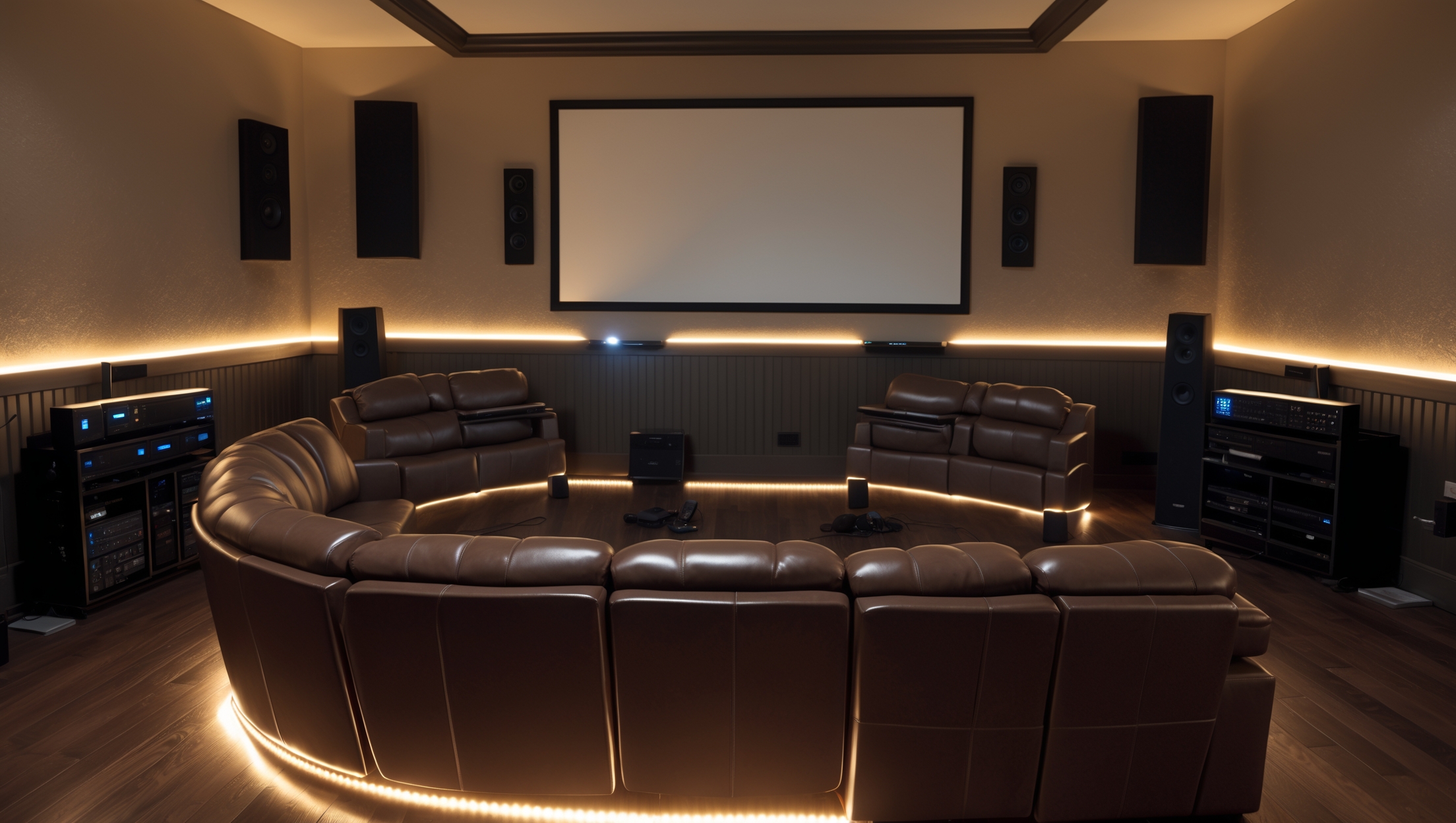
Introduction: Building Your Dream Basement Home Theater the Right Way
Turning a basement into a home theater is one of the most rewarding home improvement projects a homeowner can undertake. Not only does it add significant entertainment value to your property, but it also offers a unique space for family gatherings, movie nights, and immersive gaming. However, the path from an unfinished basement to a cinematic oasis is filled with potential pitfalls, especially for beginners. From poor planning and budget overruns to overlooked acoustics and improper equipment placement, small missteps can result in big disappointments and costly do-overs.
In this detailed guide, we’ll walk you through the most common beginner mistakes to avoid when planning a basement home theater. We’ll cover everything from realistic budgeting and optimal layout to acoustics, lighting, ventilation, compliance, and equipment selection. Drawing on industry best practices, practical homeowner experiences, and expert insights, this article is designed to ensure your project runs smoothly from concept to popcorn-ready completion. If you’re looking to create a space that truly delivers on the promise of a home theater—without falling into the traps that plague first-time builders—read on for a comprehensive, actionable roadmap.
1. Skipping a Comprehensive Planning Phase
1.1 Neglecting Purpose and Usage
One of the earliest mistakes is failing to clearly define your home theater’s purpose. Are you building a dedicated movie room, a multi-use media space, or a gaming hub? Each use case requires different considerations in layout, seating, and equipment. For example, a gaming area may need flexible lighting and accessible outlets, while a movie-focused setup benefits from tiered seating and blackout shades.
1.2 Lack of a Detailed Floor Plan
Jumping into construction or purchases without a scaled floor plan can lead to awkward seating arrangements and poor sightlines. Use graph paper or free online tools to sketch your room, marking out walls, doors, windows, soffits, and potential obstructions. Map out seating, screen placement, and speaker locations before you buy anything.
1.3 Overlooking Building Codes and Permits
Basements often require permits for electrical, HVAC, and structural changes. Ignoring compliance can result in failed inspections, expensive corrections, and even issues with home insurance. Always check local codes regarding egress windows, ceiling height, fire barriers, and electrical safety before starting work.
2. Underestimating Budget Realities
2.1 Not Accounting for “Hidden” Costs
- Moisture mitigation: Basements are prone to dampness. Failing to budget for waterproofing, sump pumps, or dehumidifiers can ruin electronics and finishes.
- Electrical upgrades: Home theater equipment can stress existing circuits. Upgrades may require a licensed electrician and dedicated circuits.
- Soundproofing: True theater experiences often demand specialized insulation, acoustic panels, and solid-core doors.
- Furniture and decor: Quality seating, risers, and wall treatments can be as costly as the electronics.
2.2 Buying All Equipment Upfront
It’s tempting to purchase all your gear at once, but technology evolves quickly. Prioritize essentials first—display, speakers, receiver—and leave room in your budget (and design) for future upgrades like streaming devices or smart lighting.
2.3 Ignoring Contingency Funds
Unexpected expenses are the rule, not the exception. Always allocate 10–20% of your budget for unforeseen issues like mold remediation, extra wiring, or custom cabinetry.
3. Poor Room Layout Decisions
3.1 Suboptimal Screen and Seating Placement
Improper screen height or distance can cause neck strain or a subpar viewing experience. Follow the “1.5 to 2.5x screen width” rule for seating distance and ensure the screen’s center is at eye level from your primary seats.
3.2 Neglecting Sightlines
Columns, low ceilings, and HVAC ducts can obstruct views. Use risers for stadium seating and avoid placing seats directly behind structural obstructions. Consider tiered platforms if your room has the height.
3.3 Poor Speaker Placement
Placing speakers too close to walls or in corners can muddy the sound. Follow manufacturer guidelines for optimal surround sound—typically speakers should be ear-level and equidistant from main seating for balanced audio.
4. Overlooking Acoustics and Soundproofing
4.1 Bare Walls and Floors
Concrete surfaces echo, causing harsh or tinny audio. Incorporate plush carpeting, fabric wall panels, and heavy drapes to absorb sound and prevent echo. Area rugs, acoustic ceiling tiles, and sound-absorbing furniture can also help.
4.2 Skimping on Soundproofing
Without proper sound isolation, noise will bleed into adjoining rooms—and from outside into your theater. Use staggered stud walls, double drywall, Green Glue, and solid-core doors. Fill wall cavities with mineral wool insulation for best results.
4.3 Ignoring HVAC Noise
Standard HVAC vents can transmit unwanted noise. Use lined ducts, install acoustic baffles, and consider a dedicated mini-split system for quiet, efficient climate control.
5. Inadequate Lighting Control
5.1 Relying on Overhead Lights
Traditional ceiling lights create glare on screens and disrupt the cinematic experience. Instead, use dimmable sconces, LED strips, or smart lighting systems that can be controlled via remote or app.
5.2 Forgetting Task and Ambient Lighting
Include floor-level lighting for safe movement, especially if using risers. Cove lighting, wall washers, and step lights add both safety and ambiance without interfering with screen visibility.
5.3 Not Planning for Light Blocking
Even small basement windows can introduce light pollution. Use blackout curtains or window plugs to ensure true darkness during showtime.
6. Ventilation and Climate Control Mistakes
6.1 Poor Airflow Planning
Basements can quickly become stuffy, especially with multiple people and heat-generating electronics. Plan for both supply and return air vents and ensure airflow is not blocked by seating or cabinetry.
6.2 Failing to Address Humidity
High humidity can damage equipment and cause mold. A dedicated dehumidifier or integrated HVAC solution is often necessary for year-round comfort and preservation of your investment.
7. Overcomplicating or Oversimplifying Equipment Choices
7.1 Going Overboard on Specs
Bigger isn’t always better. Avoid buying an oversized projector or speakers that overwhelm your room’s dimensions. Consult manufacturer recommendations based on your space’s cubic footage.
7.2 Underestimating Connectivity Needs
Plan for all the devices you may want to connect now and in the future—gaming consoles, streaming devices, Blu-ray players, smart assistants. Install extra HDMI and power outlets, and consider running conduit for future upgrades.
7.3 Ignoring Universal Remote Solutions
Managing multiple remotes can frustrate users and complicate enjoyment. Invest in a universal remote or smart control system for seamless operation of all your equipment.
8. Overlooking Safety and Accessibility
8.1 Neglecting Egress and Emergency Exits
Basement codes often require an egress window or door for safety. Don’t block exits with seating or equipment. Ensure paths are clear and marked with emergency lighting if possible.
8.2 Skipping Fire Safety Features
Install smoke detectors, carbon monoxide alarms, and keep a fire extinguisher handy. Avoid overloading circuits and use surge protectors for all electronics.
8.3 Accessibility for All Users
Consider family members or guests with mobility challenges. Use wider aisles, avoid tight corners, and include non-slip stair treads or ramps where needed.
9. Forgetting About Future Maintenance
9.1 Inaccessible Wiring and Components
Run cables in accessible conduits or raceways rather than burying them behind finished walls. Use wall plates for easy access to connections, and leave service loops for adjustments or repairs.
9.2 Not Planning for Equipment Upgrades
Technology changes rapidly. Design your AV rack and cabinetry with extra space and ventilation for future components. Modular shelving and adjustable mounts make upgrades easier and more cost-effective.
9.3 Skipping an Organized Documentation System
Create a binder or digital folder with your floor plan, wiring diagrams, equipment manuals, warranty info, and installer contacts. This will save time and headaches down the line for troubleshooting or resale.
10. Real-Life Case Studies: What Homeowners Wish They’d Known
- Case 1 – The Budget Balloon: A homeowner underestimated the cost of soundproofing and had to halt construction midway, resulting in a months-long delay and extra expenses. Lesson: Always overestimate your soundproofing and electrical budgets.
- Case 2 – The Moisture Mayhem: Skipping basement waterproofing led to equipment failure during a heavy rainstorm. Lesson: Prioritize moisture control before installing any electronics or finishes.
- Case 3 – The Layout Letdown: Poor seating arrangement meant the back row had obstructed views and poor sound. Lesson: Use 3D modeling tools or consult an AV professional for layout optimization before building risers or platforms.
Conclusion: Planning for Success in Your Basement Home Theater
Designing a basement home theater is a substantial investment of time, money, and creativity. The difference between a dream retreat and a frustrating disappointment often comes down to awareness of—and planning around—common beginner mistakes. By taking the time to create a comprehensive plan, allocate a realistic budget (with contingencies), and consider the unique challenges of basements, you put yourself in the best position to succeed.
Pay close attention to room layout, acoustics, lighting control, and safety. Don’t overlook the less glamorous aspects like moisture mitigation, wiring accessibility, and compliance with building codes. Remember that good design balances present needs with future flexibility, allowing you to enjoy your home theater for years to come without costly upgrades or repairs. Whether you’re a DIY enthusiast or working with professionals, investing in thoughtful planning and quality materials will pay off every time the lights dim and the opening credits roll.
Above all, learn from the experiences of others: read case studies, consult experts, and don’t be afraid to ask questions. A basement home theater is more than just a room—it’s an experience, a gathering place, and a testament to your vision as a homeowner. Avoid these common missteps, and you’ll create a space that delivers stunning entertainment, comfort, and value. Happy building—and happy watching!

I’m curious about the best way to handle acoustics in a basement that has concrete walls, like mine. The article mentions acoustics as a common mistake, but do you recommend any particular materials or affordable strategies to help minimize echoes and sound leakage?
Concrete walls can definitely cause echoes, but you have budget-friendly options. Acoustic panels made from foam or fiberglass work well to absorb sound—mount them on walls at reflection points. Thick rugs or carpeting on floors and heavy curtains can further reduce echo. To minimize sound leakage, seal gaps around doors and consider weatherstripping. Using bookshelves with books or fabric-covered furniture can also help dampen sound naturally.
How much extra time should I realistically set aside for the planning phase before starting any actual purchases or construction? I tend to underestimate how long it’ll take to finalize my purpose, layout, and equipment list.
For a basement home theater, it’s wise to set aside at least two to four weeks for the planning phase. This gives you time to clearly define the room’s purpose, refine your layout, and research equipment options. If you’re prone to underestimating, consider adding an extra week for unexpected decisions or changes. Taking this time upfront can help you avoid costly mistakes later.
The article says skipping ventilation can be an issue. What are the signs you’re not ventilating enough, and are there affordable ways to fix this in basements that don’t have existing vents?
Signs of poor ventilation in a basement home theater include stuffy air, lingering odors, noticeable humidity, or condensation on windows and walls. You might also see mold growth over time. For affordable fixes, try using portable dehumidifiers and fans to circulate air. You can also install passive air vents or air bricks, which are less expensive than full HVAC upgrades, to improve airflow without major renovations.
If I realize after starting that I need to change my home theater’s purpose, like switching from a gaming room to a dedicated movie area, how difficult is it to modify the layout or infrastructure at that stage?
Switching your home theater’s purpose after starting can range from simple to challenging, depending on how far you are in the setup. If major wiring, lighting, or soundproofing work is already done, you might need to make adjustments like moving speakers, changing seating arrangements, or modifying lighting. These changes are usually manageable but could require extra time and some additional costs, especially if walls or wiring need alteration. Planning flexibility into your initial design can make future changes much easier.
You mention compliance as something to consider in the planning stage. Do you mean building codes, electrical work, or something else? Are there certain regulations that usually catch first-timers by surprise when renovating basements for home theaters?
When I mention compliance, I do mean building codes, electrical work, fire safety, and sometimes even soundproofing requirements. Many first-timers are surprised by rules about ceiling height, egress windows for emergency exits, proper ventilation, and permits for electrical changes. It’s wise to check your local codes early and get any necessary inspections or approvals before starting work.
For someone who’s never done any home renovation before, is it better to tackle the planning and layout myself using guides like this, or should I consider hiring a professional from the very beginning?
If you’re new to home renovations, starting with guides like this can give you a good sense of what’s involved, but basement home theater projects often have unique challenges like soundproofing, ventilation, and wiring. If you feel unsure about any technical aspects or want to avoid costly mistakes, consulting a professional early can save time and stress. Some people start planning themselves, then bring in an expert to review their ideas before moving forward.